If you're wondering how to find hidden cameras in an Airbnb or hotel room, this is the fastest method that works with just your phone — no special equipment needed. Below: where cameras usually hide, the 60-second sweep, and what to do if you actually find one.
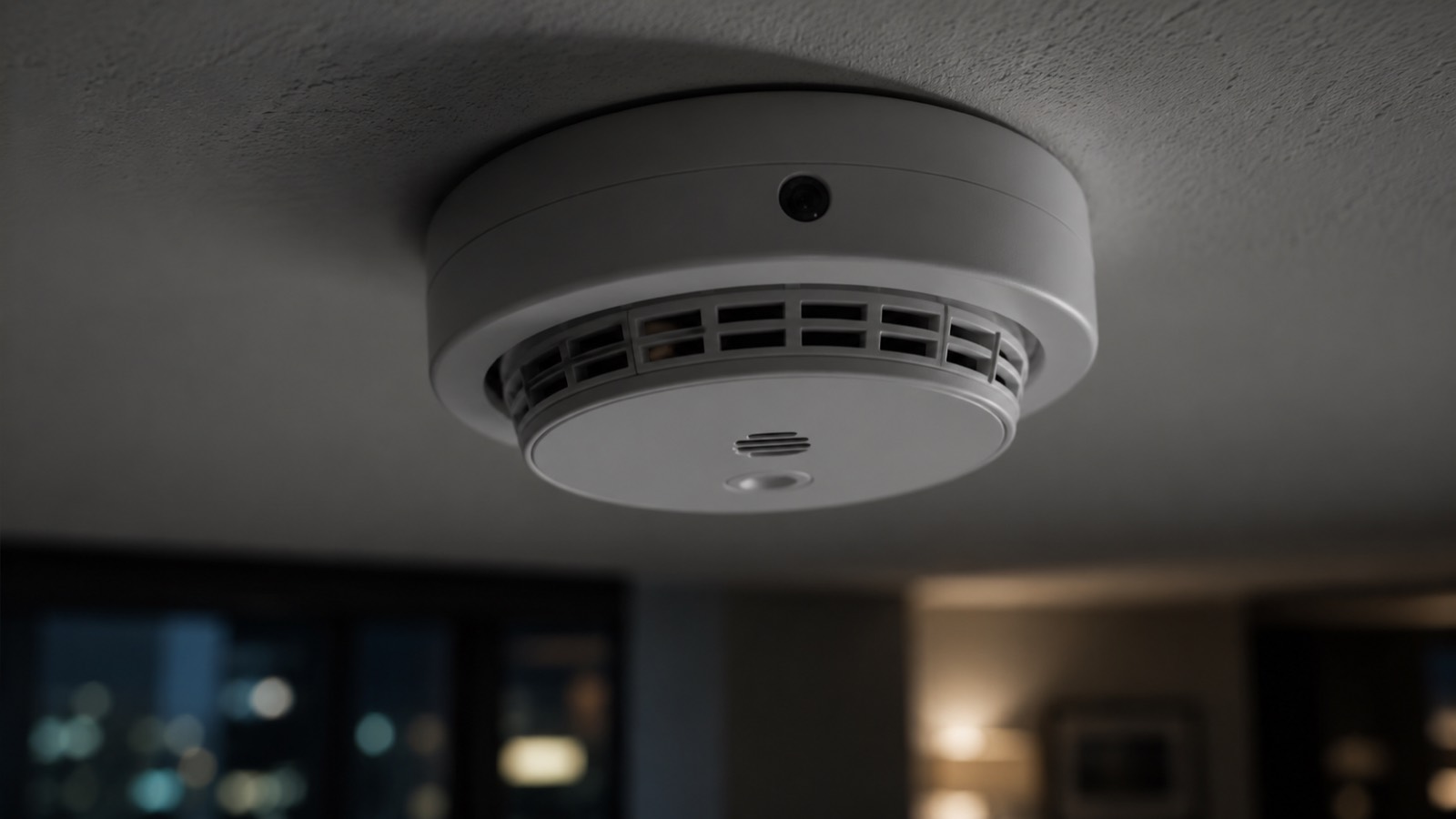
You arrive at your Airbnb after a long flight. You drop your bags, glance around the living room — and notice the smoke detector pointing directly at the couch. The clock on the bedside table has a curious dark dot near the face. The air purifier humming in the corner has a vent that almost looks like a lens.
Are you imagining it? Maybe. But maybe not.
In a 2019 IPX1031 survey, 11% of travelers reported finding a hidden camera in an Airbnb. That's roughly 1 in 9 stays — a number that has likely grown since miniature WiFi cameras dropped below $20 on Amazon and AliExpress. (For the full picture of how common this really is, see do Airbnbs have hidden cameras?)
If you have an upcoming stay, see our step-by-step Airbnb safety scan checklist as well — this guide covers detection, that one covers the full arrival routine.
Why hidden cameras have gotten so common
Modern hidden cameras share three traits that make them dangerous:
- They're cheap. A WiFi-enabled, motion-activated camera with cloud recording now costs $15–30.
- They're small. Many fit inside a screw head, a button, or the vent of a smoke detector.
- They blend in. They're built to look exactly like the everyday objects they're hidden inside.
The economics have flipped. A host who wants to monitor a property no longer needs to spend thousands or hire an installer. They need a credit card and ten minutes.
That doesn't mean every rental has a camera. The vast majority don't. But the small share that do are well-hidden enough that you won't notice them without looking.
Where hidden cameras are usually hidden in Airbnbs and hotels
Before you can find a camera, you need to know where to look. Here are the spots that come up again and again in hotel and rental reports, roughly ordered by frequency.
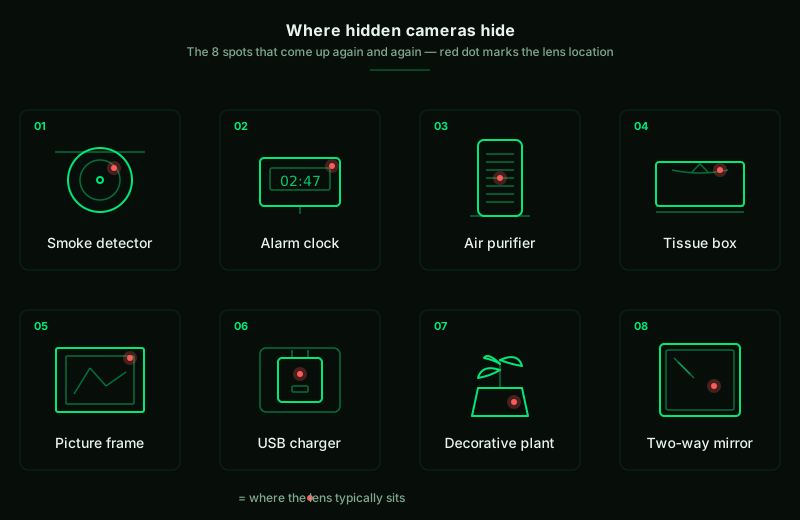
1. Smoke detectors and CO detectors
Mounted on ceilings, pointing down — the ideal angle for surveilling a room. Many real smoke detectors have small dark dots (the sensor), so a fake lens hides in plain sight.
Check for: Smoke detectors pointing directly at the bed or seating area. Glossy black dots that look different from the matte sensor of a real detector.
2. Alarm clocks and digital clocks
Bedside cameras dominate the hidden-camera market because they cover the bedroom — where privacy matters most.
Check for: A new-looking clock in an otherwise old room. A small dark dot near the display. A power cord that's thicker than a regular clock would need.
3. Air purifiers
The grill on an air purifier provides natural visual cover for a lens, and the device is always plugged in.
Check for: An air purifier oriented toward the bed or the shower. A lens-shaped opening anywhere in the grill.
4. Tissue boxes
The slit at the top of a tissue box is the perfect aperture for a lens. Pre-built tissue-box cameras are sold openly online.
Check for: A tissue box positioned with an unobstructed view of the bed.
5. Picture frames and wall art
Lens hidden in a corner of the frame, in the matting, or in the canvas itself.
Check for: A frame angled oddly toward the bed. A pinhole in the matting or canvas.
6. USB chargers and power strips
Plugged into the wall, always-on, with WiFi capability built in. Increasingly common and very hard to detect by sight.
Check for: USB chargers in outlets that aren't charging anything. Outlet adapters or power strips that aren't being used for any obvious purpose.
7. Decorative objects: vases, fake plants, books
Anything with a small gap or hole can hide a lens. Fake books with hollow interiors are popular.
Check for: Decorative items with clear sightlines to the bed that seem oddly placed.
8. Two-way mirrors
Rare, but the worst case. A two-way mirror is one-way glass: you see your reflection, the person behind sees you.
The fingernail test: Press a fingernail against the mirror surface. On a normal mirror, there's a visible gap between your nail and its reflection (the silvering is behind a layer of glass). On a two-way mirror, the nail appears to touch its reflection directly — no gap.
For four more checks and what to do if a mirror fails, see our full guide on how to tell if a mirror is two-way.
How to check an Airbnb for hidden cameras in 60 seconds
If you only have a minute, do these four checks in order. Together they catch nearly every hidden camera, from $15 WiFi pinholes to professional gear.
Method 1 — Visual sweep with a flashlight (15 seconds)
Turn off the room lights. Use your phone's flashlight at roughly eye level and slowly sweep the room.
What you're looking for: reflective glints. Camera lenses are glass, and glass reflects light back along its line of sight much more brightly than the surrounding surface. A hidden lens looks like a tiny mirror catching your flashlight.
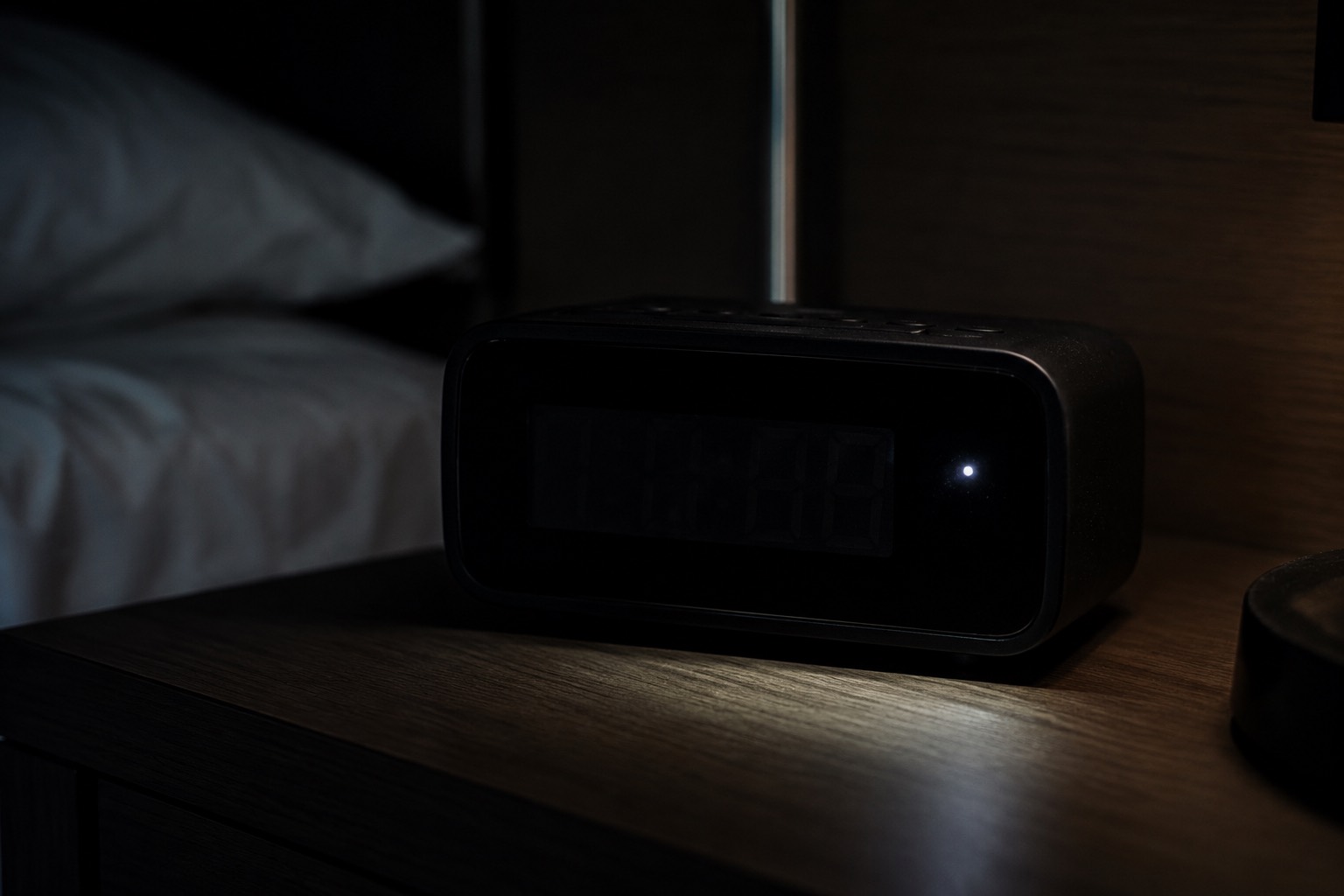
Pro tip: Move the flashlight side to side, not just straight on. Lenses only reflect at specific angles, so a static beam can miss them. The glint you're hunting will appear, vanish, and reappear as the angle changes.
This is the single best method against the widest range of cameras, because it doesn't care whether the camera has WiFi, Bluetooth, or even whether it's powered on. A lens is a lens.
Bluewex automates this lens-glint check using your camera and flashlight. Download free →
Method 2 — WiFi network scan (15 seconds)
Connect to the local WiFi, then use a network scanner to list every device on the network. Hidden IP cameras need internet access to stream video, which means they show up on the network.
Look for manufacturer names like Hikvision, Reolink, Ezviz, Wyze, or Tuya — and unbranded devices with unfamiliar MAC addresses. If you see something that has no business being there, that's a flag worth investigating.
Bluewex's WiFi scanner → does this in one tap and labels the manufacturer for each device.
Method 3 — Bluetooth scan (15 seconds)
Many modern hidden cameras also broadcast over Bluetooth Low Energy (BLE) for setup and remote control. Some standalone BLE-only cameras exist too. A BLE scan also picks up AirTags or generic trackers someone may have slipped into your luggage — a different but related threat. If that's your main worry, see how to find an AirTag tracking you.
Bluewex's BLE scanner → shows every nearby Bluetooth device with live signal strength, so you can locate the source if something unexpected shows up.
Method 4 — Magnetic field check (15 seconds)
Powered electronics generate magnetic fields. Your phone has a magnetometer — it's how the compass works — and it can detect those fields when held close to a surface.
Sweep your phone slowly across smoke detectors, air purifiers, picture frames, and anywhere else electronics could be hidden behind a surface. A spike where one shouldn't be is a sign of concealed electronics.
This catches cameras the WiFi and BLE scans miss: standalone recorders writing to memory cards, devices in deep sleep, and battery-powered units.
Want all four scans in one app? Get Bluewex free →
When to scan your Airbnb for cameras
Within the first five minutes of any short-term rental. Before unpacking, before changing clothes, before settling in.
Why the timing matters:
- A camera you find in the first five minutes can be reported before you've committed to staying.
- A camera you find on day three is harder to act on — you've already used the bathroom, already changed, already lived in the space.
For hotels, the same rule applies, though hidden cameras in mainstream hotels are rarer than in short-term rentals. Hotels have professional cleaning crews who would notice unusual objects; private hosts don't. For a hotel-specific walkthrough, see how to check a hotel room for hidden cameras.
For a printable arrival checklist that covers cameras, locks, smoke alarms and more, see our Airbnb safety scan.
What to do if you find a hidden camera
Stay calm. There are two likely scenarios:
- A legitimate security camera the host disclosed but you missed (less likely if it's inside the unit; more likely at an entrance).
- An illegitimate camera that's a privacy violation and, depending on jurisdiction, a crime.
If you're not sure which, treat it as the second case until proven otherwise.
Step 1: Document
Photo or video of the camera with enough surroundings to show the location. Screenshot any app results that flagged it. Note the time.
Step 2: Don't disturb the device
Don't unplug, cover, or move it yet. If this becomes an investigation, the device matters in place.
Step 3: Leave the property
Step outside before making decisions. You don't know if there's audio — assume there is.
Step 4: Report
- Airbnb: open the app, go to Help → Contact support. Don't message the host directly — go to Airbnb. Cite the policy: since April 30, 2024, Airbnb prohibits all indoor cameras, disclosed or not.
- Hotel: front desk first, then escalate to management if the front desk is dismissive.
- Police: if the camera appears intentionally hidden to surveil you, file a report. Hidden surveillance in private spaces is illegal in most US states and EU countries.
Step 5: Don't settle for a refund alone
A refund is the minimum. If the host placed the camera knowingly, the appropriate response is removing them from the platform — and possibly charges, not just a credit on your next stay.
What the sweep won't catch
To be honest with you:
- Battery-powered cameras in deep sleep can be invisible to WiFi/BLE scans and weakly detectable magnetically. The visual sweep is your main defense.
- Cameras that record locally to a memory card with no network connection won't show up on any network scan. Visual sweep + magnetic check are your tools.
- Audio-only bugs are smaller and harder to detect than cameras. A magnetic scan helps; a visual scan helps less.
The 60-second sweep dramatically reduces your risk. It doesn't eliminate it. But it's the best ratio of effort to coverage available to a traveler with a phone.
Frequently asked questions
How common are hidden cameras in Airbnbs really?
A 2019 IPX1031 survey put it at 11%. Reports since suggest the rate has held steady or grown slightly. The majority of rentals don't have cameras — but the minority that do are usually hidden well enough to miss without looking.
How do I check an Airbnb for hidden cameras?
Run a 60-second sweep on arrival: a visual flashlight check for lens glints, a WiFi network scan for unknown cameras, a Bluetooth scan for BLE devices and trackers, and a magnetic field check for concealed electronics. Do it within the first five minutes, before unpacking. The four methods above walk through each one.
Is it legal for an Airbnb host to have cameras inside the rental?
No. Since April 30, 2024, Airbnb prohibits all indoor cameras anywhere in a listing, disclosed or not — the earlier rule that allowed disclosed cameras in common areas no longer applies. Outdoor cameras must still be disclosed before booking. Local laws also apply: most US states and EU countries make hidden surveillance in private spaces illegal.
What if my phone doesn't have a flashlight?
Any small light source works — a keychain LED, another phone, the IR LED on a TV remote (best viewed through your phone camera). What you're hunting is the reflective glint of glass against a non-glass surface.
Will a hidden camera detector app actually work?
Honestly, it depends on the camera. Network scanners reliably find WiFi cameras. BLE scanners find Bluetooth cameras and trackers. Magnetic scanners find powered electronics. The three combined catch most cameras — not all. The visual flashlight sweep remains the single most reliable method against the widest range of devices.
What should I do if I find a hidden camera in my Airbnb?
Document with photo and video, do not disturb the device, leave the property, then report to Airbnb support directly (not the host). If the camera was intentionally hidden, file a police report. Hidden surveillance in private spaces is illegal in most US states and EU countries.
Can I just block the camera with tape?
You can — but the camera is evidence. Before covering it, document it as described above. If you tape a known camera and stay, you've contaminated potential evidence, and you still don't know what else might be in the room.
Do I need to do this in every Airbnb?
Realistically, no — but a two-minute sweep is enough to dramatically lower your risk, and after a few stays it becomes automatic. Like checking that a hotel door is locked from the inside.
The bottom line
Hidden cameras in short-term rentals are uncommon but real, and the hardware has gotten cheap enough that the risk isn't going away. A 60-second sweep on arrival catches nearly all of them.
If you want help running the sweep, that's exactly what Bluewex does — free on iOS and Android. The WiFi, Bluetooth, and magnetic scans all in one tap, plus the visual lens-glint check using your camera and flashlight.
Travel safe.
Related guides: Do Airbnbs Have Hidden Cameras? · How to Check a Hotel Room for Hidden Cameras · Is a Mirror Two-Way? · Full Airbnb Safety Scan