To detect hidden cameras, you don't need to search every inch of a room — you need to exploit their weaknesses. Almost every hidden camera connects to a network, reflects light off its lens, or emits a signal or field. Every reliable detection method below targets one of those three, and the first five need nothing but the phone in your pocket.
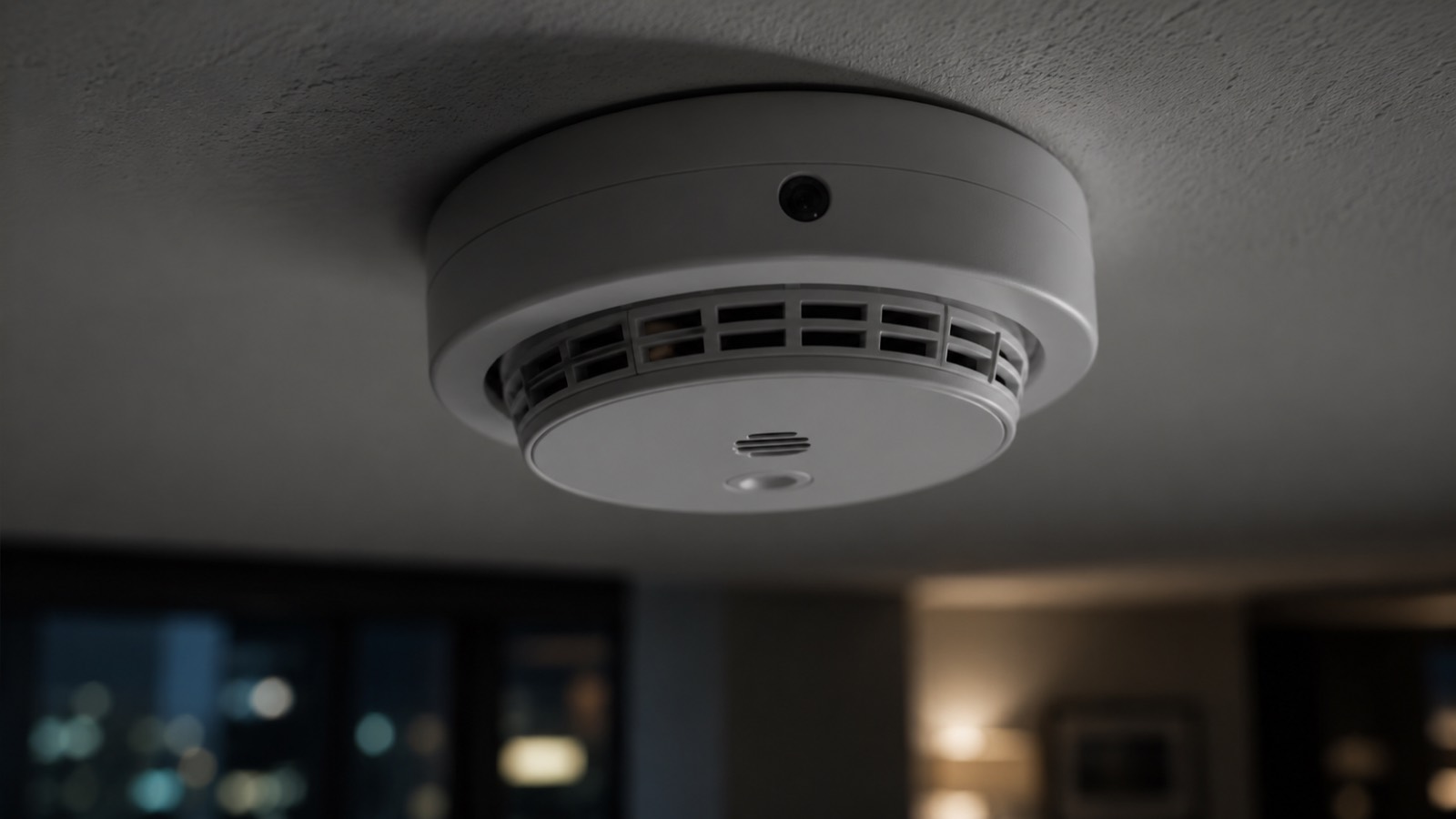
A working camera disguised as a USB charger, clock or smoke detector costs under $30 online, which is why this stopped being a hotel-horror-story problem and became a check-any-room problem: rentals, offices, changing rooms, even your own home after a dispute. Here are the ten methods, ranked by how fast they are and what they catch.
The 10 methods at a glance
| # | Method | Time | Cost | Best at finding |
|---|---|---|---|---|
| 1 | WiFi network scan | 30 sec | Free | Streaming WiFi cameras |
| 2 | Bluetooth scan | 30 sec | Free | BLE cameras, trackers |
| 3 | Flashlight lens sweep | 5 min | Free | Any camera with a lens |
| 4 | Infrared check | 2 min | Free | Night-vision cameras |
| 5 | Magnetic field check | 3 min | Free | Concealed electronics |
| 6 | Physical inspection | 10 min | Free | Disguised cameras |
| 7 | Hidden network check | 2 min | Free | Cameras on hidden SSIDs |
| 8 | Mirror test | 1 min | Free | Two-way mirrors |
| 9 | RF detector | 10 min | $20–50 | Non-WiFi wireless cameras |
| 10 | Lens finder | 10 min | $30–100 | Record-only cameras |
1. Scan the WiFi network
Most consumer hidden cameras stream footage over WiFi — remote viewing is the whole point of planting one. That means they appear as devices on the network, and a network scan exposes them in about thirty seconds.
- Connect your phone to the local WiFi.
- Open a network scanner like Bluewex and run a scan.
- Review every device found. Look for camera brands — Hikvision, Reolink, Ezviz, Wyze, Tuya — and generic names like "IPCam" or unlabeled hardware.
- Account for every device you can see and explain: TV, router, thermostat, speaker. Whatever's left over deserves a closer look.
Even when a camera's name is scrambled, its MAC address usually reveals the manufacturer — Bluewex's WiFi scanner labels this for each device automatically. This is the highest-yield method on the list because it covers the entire space at once instead of one wall at a time.
Limitation: it only catches cameras on the network you're scanning. That's exactly why the next two methods exist.
2. Scan for Bluetooth devices
Some cameras — and nearly all tracking devices like AirTags — use Bluetooth Low Energy instead of WiFi. A BLE scan catches what a network scan can't, and the two together still take under a minute.
Run the scan and look for unknown devices with a strong signal. Signal strength is a rough proximity meter: a strong unknown signal means the device is in the room with you, and walking around while watching the signal tells you which direction to search. Bluewex's BLE scanner shows live signal strength for exactly this reason.
If an unknown device follows you from room to room, you may be dealing with a tracker rather than a camera — here's how to find an AirTag tracking you.
3. Do a flashlight lens sweep
Every camera needs a lens, and every lens reflects light back along its line of sight. This is the test that catches cameras regardless of how they connect — including ones that only record to a memory card and never transmit at all.
Turn off the lights and close the curtains. Hold your phone's flashlight near your eyes and sweep the beam slowly across the room at eye and bed level. A camera lens throws back a small, bright pinpoint glint — often blue- or purple-tinted — quite unlike the broad reflection of glass or gloss paint. Move the light side to side as you go; lenses only reflect at certain angles, so a static beam can miss them.
A lens is often just 1–2 mm wide, so go slower than feels necessary, and give extra attention to anything with a small dark spot facing the bed or bathroom.
4. Check for infrared with your phone camera
Night-vision cameras light the room with infrared — invisible to your eyes, but not to your phone's front camera, which usually lacks the IR filter fitted to the rear one.
First, verify your phone can see IR: point a TV remote at your front camera and press a button. If the remote's LED flashes on screen, you're set. Then make the room fully dark, open the front camera, and pan slowly around. An active IR camera appears as a glowing white or purple dot on your screen.
While you're in the dark anyway, look for tiny status LEDs too — many cheap cameras have a red or green indicator light the owner forgot to disable.
Limitation: this only works while the camera's night vision is actually on, so full darkness is essential.
5. Run a magnetic field check
Powered electronics give off a magnetic field, and your phone's compass sensor (magnetometer) can pick it up at close range. This catches the hardest case: a camera that records locally, transmits nothing, and hides its lens well.
Sweep your phone slowly and close across smoke detectors, alarm clocks, picture frames, vents, and bathroom fixtures. A sharp spike where no electronics should be — inside a decorative object, behind a picture frame, in a towel hook — points to something concealed. Bluewex includes a guided magnetic sweep alongside its network scans.
6. Inspect the usual hiding spots
Cameras get hidden in objects that belong in a room and won't be moved. Prioritize anything with a clear line of sight to beds, bathrooms, and changing areas:
- Smoke detectors and air purifiers — the classic. Look for a glossy dot among the vents that real sensors don't have.
- USB chargers and power adapters — the most-sold spy device online. Be suspicious of a charger that's plugged in but charging nothing.
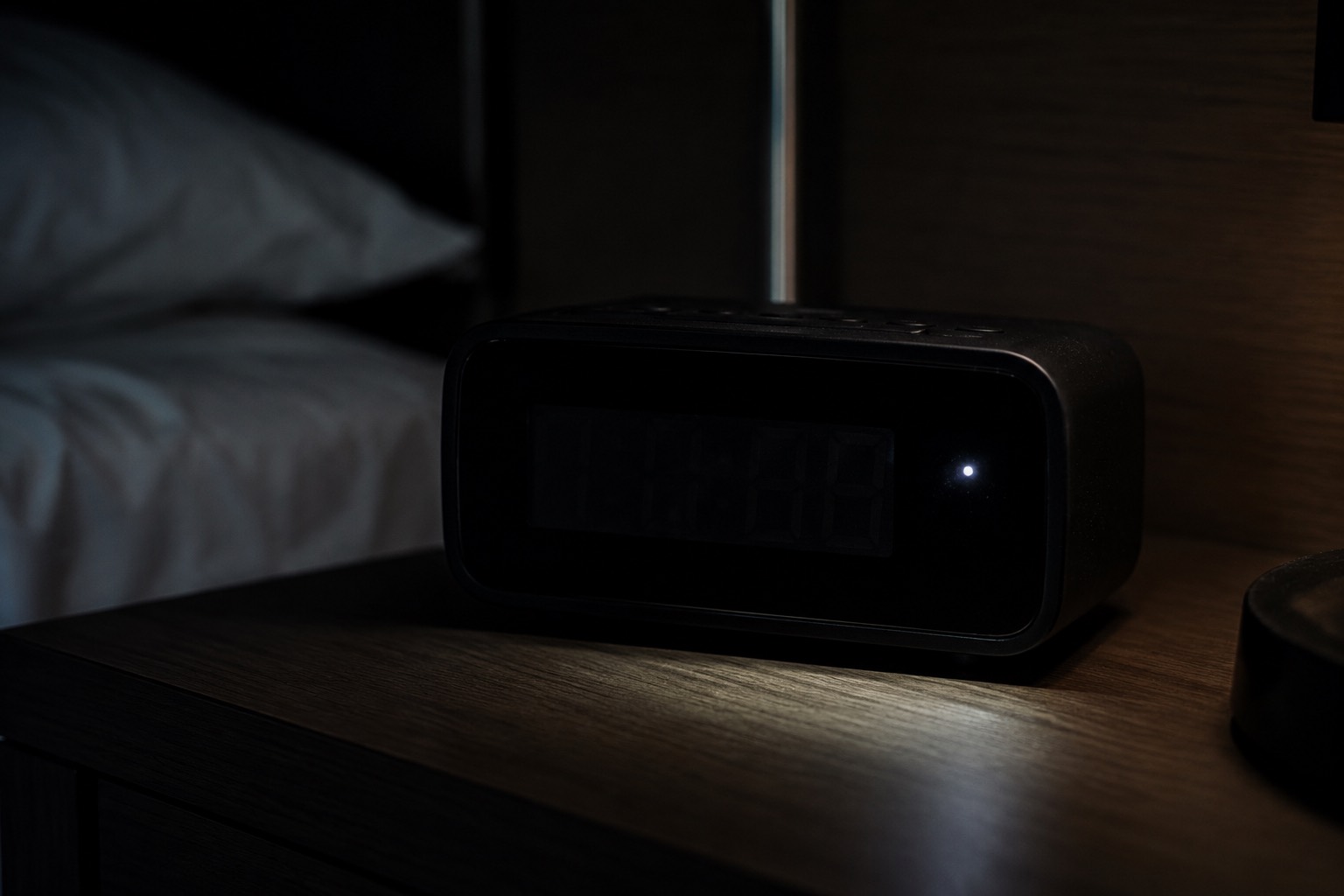
- Alarm clocks, speakers, TV boxes — check front faces for a dark pinhole; be wary of a new-looking clock in an otherwise dated room.
- Wall décor, frames, plants — look for pinholes and trailing cables that serve no purpose.
- Screw heads and small wall holes — pinhole lenses fit inside a screw head pointed at the bed.
Pick up light objects and check their weight and seams — concealed electronics make things heavier than they should be. For Airbnb-specific stats and risks, see do Airbnbs have hidden cameras; for hotel-specific spots, the hotel room check.
7. Look for hidden WiFi networks
A more careful operator puts the camera on its own network with a hidden SSID — a WiFi name that doesn't broadcast publicly. It won't appear in your phone's WiFi list, but scanners can still detect that a hidden network exists and how strong it is.
Run a WiFi scan and look for entries marked as hidden networks. One with a very strong signal inside your room — in a place where you were given exactly one official network — is a real red flag. Signal strength again works as your proximity meter.
8. Test the mirrors
A two-way mirror lets a camera — or a person — watch from the other side. The quick check is the fingernail test: touch your nail to the glass. On a normal mirror there's a visible gap between your nail and its reflection, because the reflective backing sits behind the glass. If nail and reflection appear to touch directly, the reflective layer is on the front surface — treat that mirror as suspect.
Then turn off the lights and press your phone's flashlight flat against the glass: with a two-way mirror you can often see the space behind it. The full walkthrough, including the edge cases that fool the fingernail test, is here: how to tell if a mirror is two-way.
9. Sweep with an RF detector
Radio frequency detectors pick up wireless transmissions from cameras that don't use standard WiFi at all — analog wireless cameras and other transmitters. A basic unit costs $20–50.
Turn off or unplug everything that legitimately transmits — your phone, laptop, the router if you can — then sweep the room slowly, holding the detector close to walls and objects. It beeps or lights up as you close in on a transmission source.
Limitation: RF detectors are noisy in every sense. Bluetooth headphones, smart TVs and the neighbor's router all set them off, and a camera that records locally without transmitting stays silent. Use one to confirm suspicion, not as your only method.
10. Use a lens finder
A lens finder is the specialist's version of the flashlight sweep: a ring of bright LEDs around a viewing window. You look through the window while the LEDs illuminate the room, and any camera lens flashes back as an unmistakable bright dot.
Decent units start around $30. It's the most reliable way to catch record-only cameras, and worth owning if you travel constantly or have a serious, ongoing concern. For occasional travel, the flashlight sweep plus a network scan covers most of the same ground for free.
Where to check first
If you only have five minutes, prioritize by sightline — cameras are placed to see something:
- Bedroom: anything facing the bed — smoke detector, clock, charger, TV, shelf objects.
- Bathroom: vents, mirrors (test them), hooks, air fresheners with a line to the shower or toilet. A bathroom camera is never legitimate.
- Living area: bookshelf clutter, routers, speakers, décor facing the couch.
- Changing areas: any pinhole at chest-to-head height, screw heads included.
What to do if you find a hidden camera
- Don't touch or unplug it. It's evidence, and tampering can complicate a police report. Assume it may capture audio too.
- Document it — photos and video of the device in place, wide shot and close-up, plus a screenshot of the scan result that flagged it.
- Cover the lens with a towel or tape if you need immediate privacy.
- Leave the room before discussing anything, and contact the police. Recording people in private spaces without consent is illegal in most US states and EU countries.
- In a rental, report it to the platform. Airbnb banned all indoor cameras — even disclosed ones — in 2024, so any indoor camera in an Airbnb violates policy. Report through the app and request a refund and rebooking.
The fastest version: a 3-pass sweep
You don't need all ten methods every time. For a new room, three passes cover networked cameras, record-only cameras, and night-vision cameras in under ten minutes:
- Scan — WiFi + Bluetooth + magnetic check with Bluewex (about a minute).
- Shine — flashlight lens sweep of everything facing the bed and bathroom (five minutes).
- Dark check — lights off: IR check with your front camera, and a look for stray status LEDs (two minutes).
Frequently asked questions
Can I detect a hidden camera with just my phone?
Yes. Your phone covers five of the ten methods: WiFi scanning, Bluetooth scanning, the flashlight lens sweep, the infrared check with the front camera, and the magnetic field check. Together they catch the large majority of consumer hidden cameras — only a well-hidden record-only camera calls for dedicated hardware like a lens finder.
What is the easiest way to find hidden cameras?
A WiFi network scan. It takes about thirty seconds, covers the whole space at once, and catches the most common type of hidden camera — the kind that streams over WiFi. Start there, then do the flashlight sweep on anything facing the bed.
Do hidden camera detector apps actually work?
Apps built on real sensors work: WiFi network scanning, Bluetooth scanning, and magnetometer sweeps all detect physical signals a camera actually produces. What doesn't work is any app promising to "see" cameras through the screen with no scanning involved. Use an app that combines several scan types rather than one gimmick.
Can hidden cameras work without WiFi?
Yes. Some record to a memory card and transmit nothing, which is why the light-based and field-based methods matter: the flashlight sweep, the infrared check, the magnetic check and lens finders all catch cameras that no network scan can see.
How can you tell if a mirror has a hidden camera?
Start with the fingernail test — no gap between your nail and its reflection suggests a front-surface reflective layer. Then press a flashlight against the glass in a dark room and look for a space behind it. Details and edge cases: how to tell if a mirror is two-way.
How common are hidden cameras in rentals?
More common than most people assume — surveys have found a meaningful minority of travelers reporting camera discoveries, and Airbnb's 2024 indoor-camera ban means any indoor camera you find in an Airbnb is against policy regardless of disclosure. We break down the actual numbers in do Airbnbs have hidden cameras?
Should I unplug a hidden camera when I find one?
No. Leave it in place, photograph it, cover it if you need privacy, and contact the police — plus the rental platform if you're traveling. Unplugging it can destroy evidence and tips off whoever planted it.
The bottom line
Hidden cameras rely on not being looked for. Every one of them betrays itself somehow — through the network, the lens, or the signals it gives off — and the ten methods above cover all three channels. Run the free phone-based five as your default, add the flashlight sweep to anything that faces a bed or bathroom, and escalate to hardware only if you have a specific, ongoing concern.
Bluewex automates the scanning half of this guide — WiFi, Bluetooth, magnetic and lens-glint checks in one sweep, free on iOS and Android.
Related guides: Do Airbnbs Have Hidden Cameras? · Check a Hotel Room · Is a Mirror Two-Way? · Find an AirTag Tracking You